Online Safety
Online Safety Policy Statement
At Holy Trinity C of E C School, we want every user to be safe, confident and supported when using technology - whether learning in school, at home, or in the wider community. Online safety is part of safeguarding and wellbeing. It is not “just an IT issue”: it is about people, relationships, behaviour, learning, and protection.
Our online safety strategy is built around four outcomes-focused areas that strengthen day-to-day practice:
- Leadership and policy that make expectations clear
- Education that builds skills, resilience and positive behaviour
- Technology that protects users and supports safe learning
- Impact review that proves what’s working and what we will improve
Leadership and policy: clarity, consistency and accountability
- When leadership is strong, online safety becomes part of “how we do things here”—not a one-off initiative.
Clear responsibilities
- We make sure roles are defined and understood across senior leaders, the Designated Safety Lead, an Online Safety Lead, governors/trustees and technical staff/providers. This ensures safeguarding decisions and technical safeguards work together.
- What this improves: decisions are quicker, concerns are escalated correctly, and actions don’t get “lost” between teams.
- Benefit for users: children and adults get safer, more consistent support.
A joined-up Online Safety Group
- We involve the right voices—leaders, staff, governors, and (where appropriate) learners and families—to keep online safety responsive to real experiences and emerging risks.
- What this improves: shared ownership and a whole-school approach.
- Benefit for users: safer practice is reinforced across school and home.
A policy that is understood and used
- Our online safety policy is aligned with safeguarding expectations and linked to related policies so that staff and families can see one clear, consistent approach.
- What this improves: fewer grey areas and more confident decision-making.
- Benefit for users: clear boundaries and predictable responses.
Acceptable use expectations that protect everyone
- We set out simple, age-appropriate expectations for learners and clear professional expectations for staff, so everyone understands what safe and respectful use looks like.
- What this improves: behaviour, consistency, and fairness.
- Benefit for users: safer online spaces and fewer harmful incidents.
Reporting and responding that leads to action
- We promote a culture where people feel able to speak up, and we respond consistently, recording concerns, acting promptly, and learning from patterns and new risks.
- What this improves: early identification and effective safeguarding intervention.
- Benefit for users: children get help sooner; everyone feels listened to and protected.
Education: confident learners and informed adults
- We teach online safety to build knowledge, skills, attitudes and resilience—so learners can enjoy the benefits of technology while managing risks.
Planned learning for learners
- Online safety education is progressive, inclusive and revisited regularly. We use learner voice to shape what we teach and to keep it relevant.
- What this improves: safer choices, healthier online behaviour, and confident help-seeking.
- Benefit for users: learners become better prepared for real-life online challenges.
Staff training that supports safeguarding practice
- All staff receive induction and ongoing updates so they can spot concerns, respond appropriately, and model safe practice. Key roles receive enhanced training to lead and make informed decisions.
- What this improves: confidence and consistency across the workforce.
- Benefit for users: concerns are handled calmly, correctly and promptly.
Governors trained to provide challenge and support
- Governors/trustees understand their duties and can ask the right questions about policy, training, curriculum, filtering/monitoring, and cyber security.
- What this improves: accountability and sustained improvement.
- Benefit for users: online safety stays a priority over time, not just after incidents.
Strong partnerships with families and agencies
- We communicate practical guidance to families and work with relevant partners. We also share effective practice beyond our school where it supports safer communities.
- What this improves: joined-up messages and earlier support.
- Benefit for users: children experience consistent expectations across school and home.
Technology: protection that enables learning
- We use proportionate technical controls to reduce exposure to harm while supporting teaching and learning.
Effective filtering
- Filtering reduces the risk of access to harmful and illegal content and is reviewed to ensure it stays fit for purpose.
- Benefit for users: safer browsing and research.
Safeguarding-led monitoring
- Monitoring helps identify concerns early and supports timely intervention, handled with appropriate governance and data protection.
- Benefit for users: timely intervention when risk is emerging.
Secure systems and cyber resilience
- We protect networks, devices and accounts, and we prepare for threats like phishing and ransomware—so learning is not disrupted and users are protected.
- Benefit for users: safer services, fewer incidents, faster recovery.
Data protection that builds trust
- We handle personal and sensitive information carefully and lawfully, with clear processes and accountability.
- Benefit for users: privacy is respected and risks from misuse are reduced.
Safe day-to-day practice
- We manage devices consistently (including expectations around personal devices where relevant), apply safeguarding and consent to digital content, and communicate responsibly through our public channels.
- Benefit for users: fewer avoidable mistakes and a safer, more responsible digital culture.
Impact: proving what works and improving what doesn’t
- We regularly review how well our policies and practice are working, what the evidence tells us, and what we will improve next. This keeps our approach current, targeted and effective.
How to raise a concern or get help
If something online worries you, we want to know.
- Learners: talk to a trusted adult, your tutor/class teacher, or the safeguarding team.
- Parents/carers: contact Jade Wakefield, the headteacher and DSL at DSL@holytrinity.staffs.sch.uk
- Staff: follow safeguarding procedures and record concerns promptly.
Our commitment
We will keep strengthening leadership, education, technology and impact review so that technology at [School name] is used safely, respectfully and positively—and so our community can be confident that online safeguarding is robust, consistent, and always improving.
The National Crime Agency’s CEOP Command is here to help children and young people. We are here to help if you are a young person and you or your friend (up to age 18) has been forced or tricked into taking part in sexual activity with anyone online, or in the real world. We also have advice and links to support for other online problems young people might face, such as cyberbullying and hacking. Visit our Safety Centre for advice and to report directly to CEOP, by clicking on the Click CEOP button.

Extremist Material
There has been a recent campaign by the Counter Terrorism Internet Referral Unit to encourage people to report online extremist material. Should you become aware of any such material then you can use the button below to link to the Counter Terrorism Internet Referral Unit.

Safety in a Digital World: Guide for Parents/Carers
- You were taught road safety,
- You were taught rail safety,
- You were taught to play safely.
But now we are in the 21st Century and your children need to be taught Online Safety
Children access the Internet on:
- Computers
- Mobile phones
- Games consoles
- Music systems
- And they play games online with friends and strangers
They blog, chat, enter competitions, social network, email, watch TV online, play games, download and upload information. They are creative at making music, making films and making web content.
App information
The following website has information about social media and the age ratings of different apps, with a little bit of information about what they are.
https://www.nspcc.org.uk/keeping-children-safe/online-safety/social-media/
A Parent's Guide to:
Screen Time:
https://www.childnet.com/parents-and-carers/hot-topics/screen-time-boundaries
Fortnite:
https://www.childnet.com/blog/a-parents-guide-to-fortnite-battle-royale
Gaming:
https://www.childnet.com/parents-and-carers/hot-topics/gaming
Are you worried about their safety whilst accessing the internet?
This page will provide you with some basic information to help you feel more confident in supporting your child to be online safe.
The Benefits of Digital Technology
There are many benefits of having access to digital technologies. Here are some of them:
- Used effectively, these can improve children’s achievement.
- Using them at home and at school develops skills for life.
- Children with supportive and involved parents and carers do better at school.
- Children enjoy using them.
- Using technologies provides access to a wider and more flexible range of learning materials.
Staying Safe
You can make a huge difference if you talk to your child about how they use digital technology, let them know you are there to guide them and pass on essential safety advice. Here are some do’s and don’ts:
- Do keep your computer in a place where everyone can use it, go online with your child so you can see what they are doing on the Internet.
- Do remind them that everyone they meet online is a stranger even though they might seem like a friend.
- Do encourage your child never to meet up with someone they make friends with online. But if they do then make sure they take along an adult you trust and to meet in a public place.
- Do explain that they shouldn’t accept emails or open files from people they don’t know. They may contain viruses, nasty messages or annoying links to things you don’t want them to see.
- Do be aware that your child may as likely be a cyberbully as be a target of cyberbullying. Be alert to your child seeming upset after using the Internet or their mobile phone.
- Do talk to your child so they know they can come to you if they run into any problems. Your continued involvement is the best way of keeping your child safe.
- Do make clear what content and behaviour is acceptable and check that sites are age appropriate.
- Do give your child the knowledge and skills to build up resilience to the things they find online, help them to play and learn safely.
- Do consider using filtering software and agree ground rules about what services you are happy for your child to use.
- Don’t allow them to give out personal information. That means full name, home or school address, telephone number or personal email or mobile number.
- Don’t allow your child to access inappropriate sites.
Useful advice for Parents and Carers
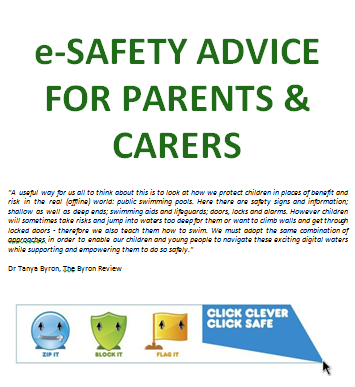
Click here to download a document on Online Safety advice for parents and carers.
Find out more:
Did you know, you can add a filter to your home Internet connection, which will help to reduce any over age or inappropriate material from being seen by your child/ren? The link below has some advice to help you add this filter, if you haven’t already done this, to help make your home online safe for your child/ren. Click below to find out more:
https://www.internetmatters.org/parental-controls/
You can also contact your Internet provider to ask their advice about putting a filter on your Internet connection.
Information updated: November 2024
Find the latest information on websites, mobiles and new technology. Find out what’s good, what’s not and what you can do about it:


The UK Council for Child Internet Safety (UKCCIS) brings together organisations from industry, charities and the public sector to work with the Government to deliver the recommendations from Safer Children in a Digital World consultation: http://www.education.gov.uk/ukccis,
Childnet International is a non-profit organisation working with others to help make the Internet a great and safe place for children: https://www.childnet.com/
The Child Exploitation and Online Protection Centre (CEOP) works across the UK tackling child sex abuse and providing advice for parents, young people and children about Internet safety: www.ceop.gov.uk
Pre-school (0-5) online safety tips and advice Balancing screen time (0-5)
Get Net WiseAs well as lots of information on how to keep your children safe, this website has a very useful video tutorial showing how you can set privacy settings and parental controls on your computer. |
Get Safe OnlineThis website encourages everyone to take some time out to learn more about Internet safety and to make sure that their computer is properly protected. It has lots of useful tips about online shopping and identity theft. |
Safer InternetA parent’s guide to different technologies:
|
ChildNet InternationalThis website provides a unique, interactive guide to help you keep up to date with how children use the Internet and how you can support them in keeping safe. It is produced by ChildNet International. |
|

Please read the following from the Staffordshire and Stoke-on-Trent Safeguarding Children Board on the sensitive issue of child sexual exploitation and visit the following websites.
http://www.knowaboutcse.co.uk/parents
Have a look at the NSPCC website and their advice on parental controls on the Internet. It is really useful. Click the link below.